
A mobile app that keeps Claude coding.

Your agents keep stopping. Greenlight keeps them working — so you actually get what you're paying for.

Works with Claude Code, Codex CLI and more.

Install now — free.

Coding agents are wonderful and frustrating

How Greenlight helps

Hand off the work, not the wheel

You've got features to ship and a life to live. Let an agent take a ticket all the way to merged — while you're somewhere else.

Greenlight Pro

Autopilot

Hand Autopilot a ticket and it drives the whole lifecycle — spec it, review the spec, build it, review the code — so you never have to spoon-feed an agent at every step. When a review fails, it sends the ticket back for revisions and keeps going.

You stay the director. Autopilot runs inside Greenlight's permission engine, pings you only when it matters, and hands you the wheel the moment you tap in.

Watch the video.

Direct real work with a tap

Prefer your hands on the wheel? Write a ticket and move it through each stage from your phone — no paragraphs typed on a phone keyboard.

1

Write a ticket

Capture what you want built — a sentence is enough to start.

2

Move it through the lifecycle

Greenlight spins up the right agent for each stage — spec it, review the spec, build it, review the code.

3

Tap a context-aware prompt

Ticket in code review? Tap “Review this code.” Greenlight offers the right next move for wherever the ticket is.

See it in action

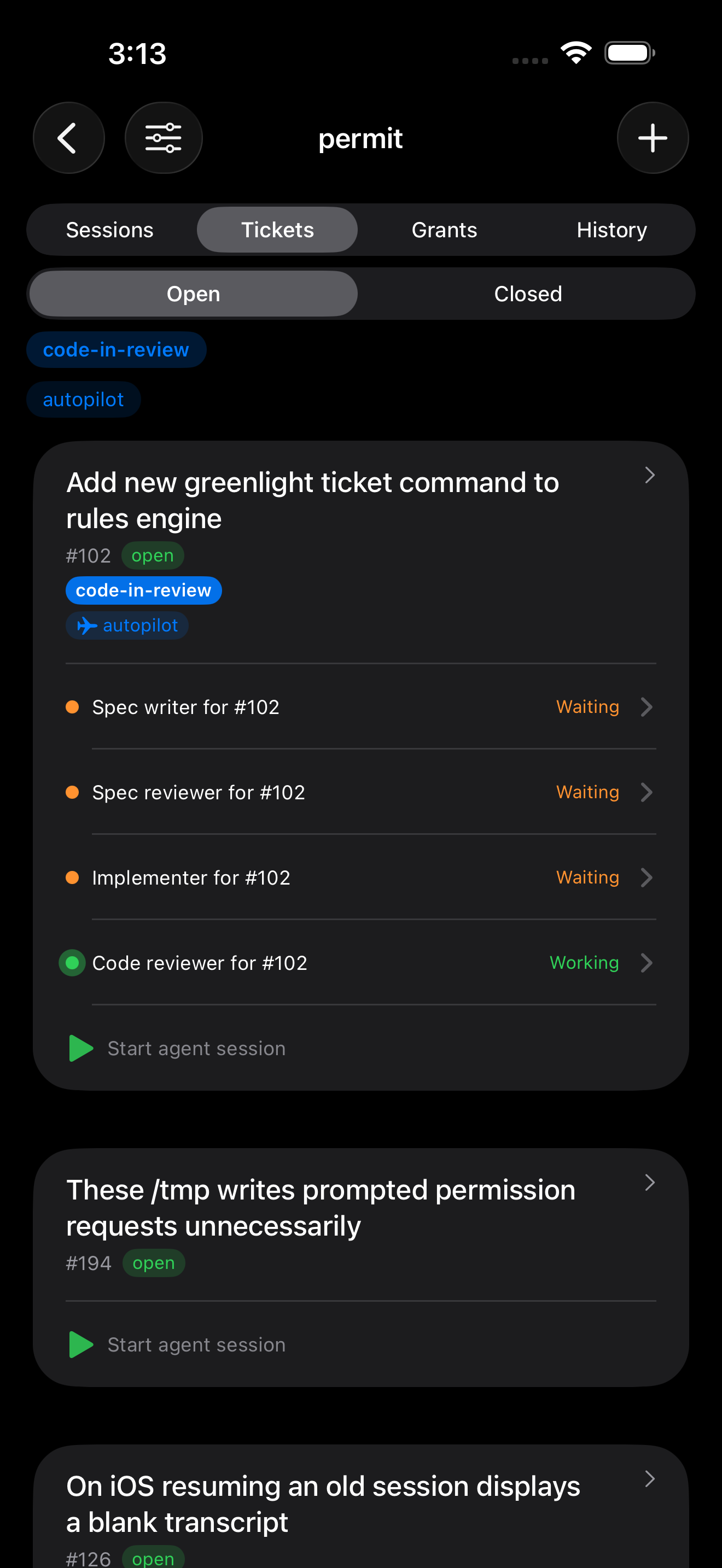
Greenlight tickets view showing a ticket on autopilot with its spec, implementer and reviewer agents
Drive work from tickets — autopilot spins up agents to spec, build and review.
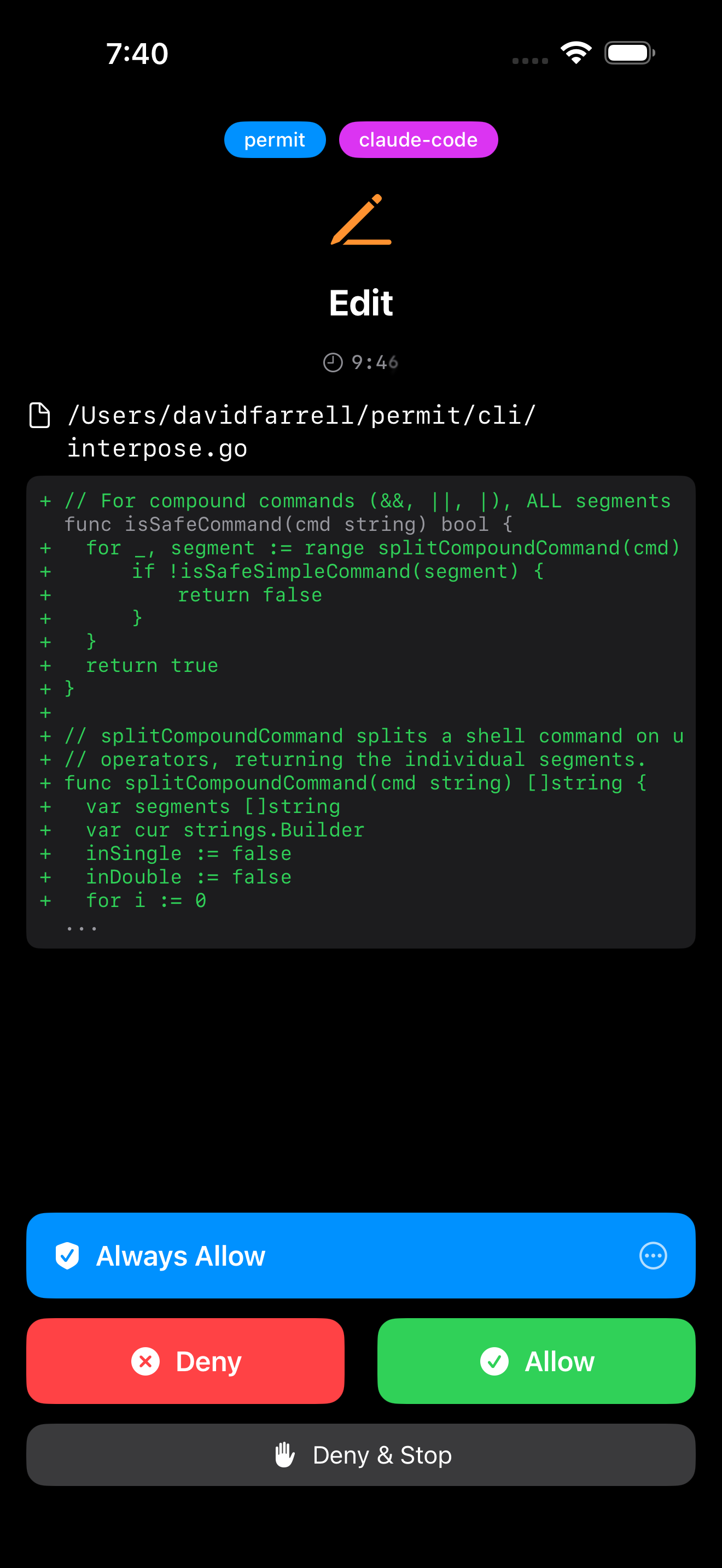
Greenlight permission request with Allow, Deny, and Always Allow buttons
Approve or deny permission requests with a tap.
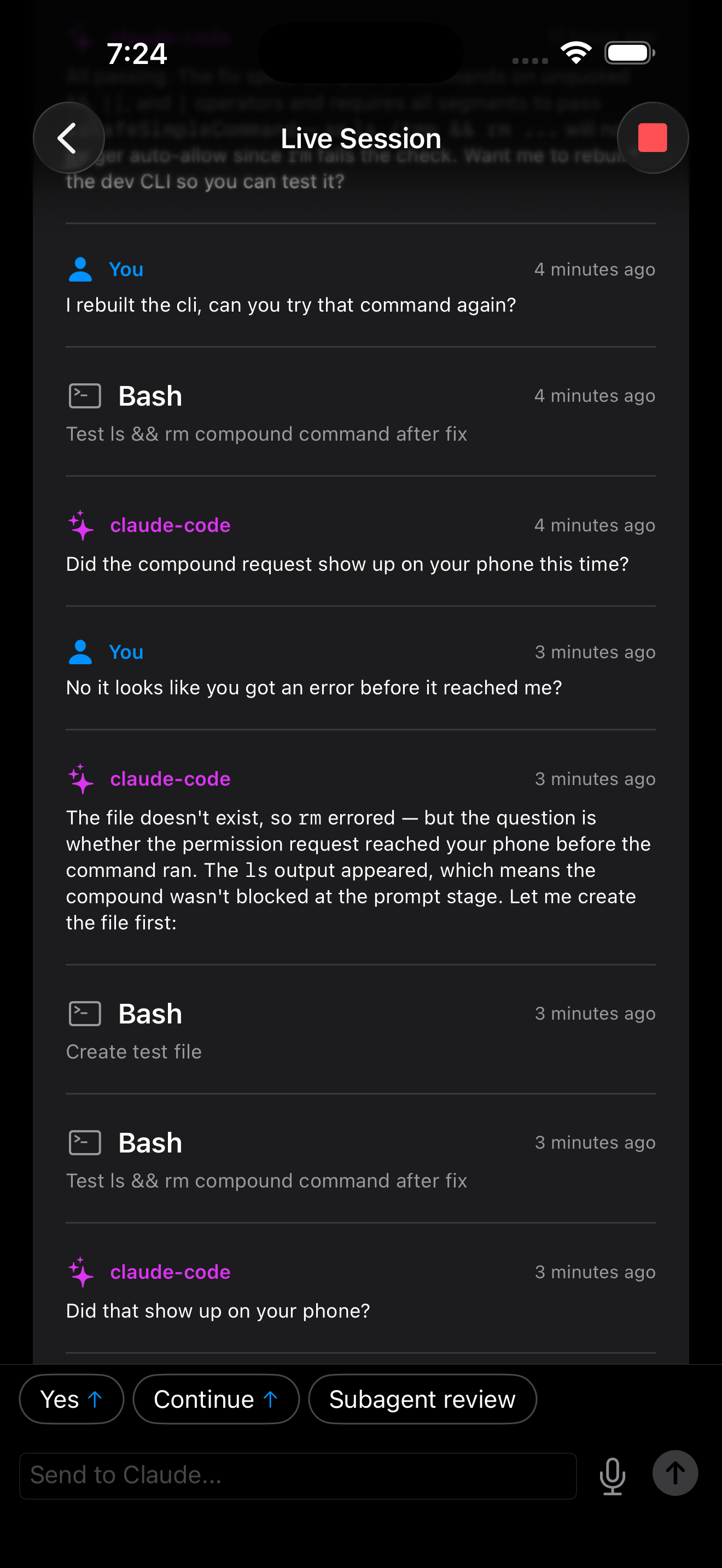
Greenlight live session transcript with a reply box
Follow the live session and steer it with a reply.
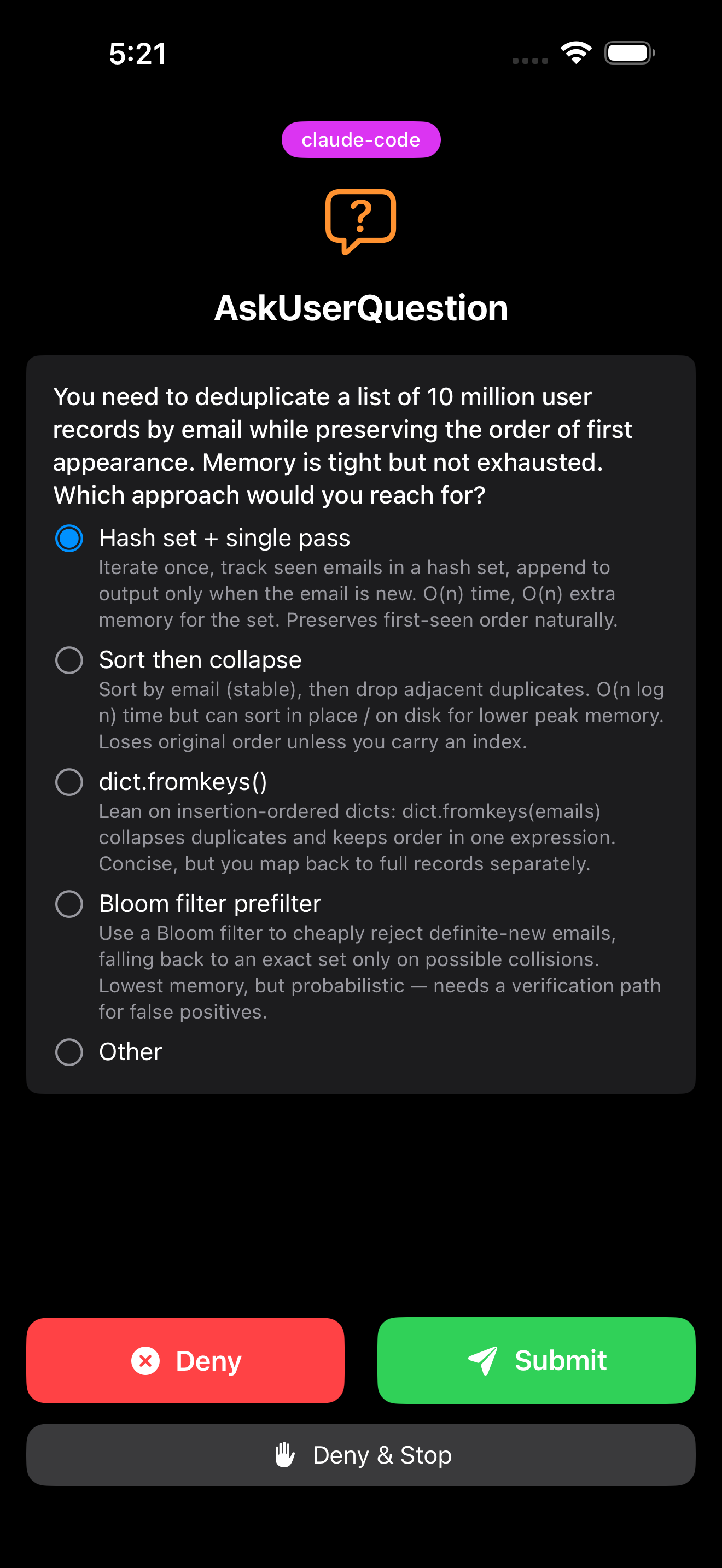
Greenlight prompting you to choose an answer to an agent's question
Answer agents' questions — direct them with more than chat.

The plan

1

Get the app

Download Greenlight from the App Store or Google Play.

2

Set up the CLI

Install the free Greenlight terminal app on your computer:

curl -sSL https://aigreenlight.app/install.sh | bash
3

Launch

Run greenlight connect to pair your computer with the app and start your agent.

The story

As the creators of Greenlight, we understand the challenge of creating successful software whilst balancing commitments. Coding agents are a great tool, but they demand too much of your time. Time that could be spent designing a new feature, talking to users or generating leads.

We built Greenlight to make it easy to keep your agents working. It runs on your computer, not in the cloud somewhere. All agent chats are privately transmitted to your phone, and never stored. It works with Claude, Codex and other top coding agents so you're not locked in to any one supplier. We started by keeping a single agent unblocked — now, with Autopilot, Greenlight can run the whole pipeline from ticket to merged. Give it a try, so instead of losing time herding agents, you're directing your vision of the future.

How it all connects

Your agents run on your computer. Greenlight relays their requests privately to your phone — so you stay in control from anywhere.

Greenlight architecture Your computer runs the Greenlight CLI, which hosts your Claude Code and Codex CLI sessions. A private relay connects to the Greenlight server, which runs the permissions engine, and another private relay connects to your phone. Your computer Greenlight CLI Claude Code Codex CLI private relay Greenlight server Permissions engine private relay Your phone Allow edit? Allow Deny

Agent chats are relayed privately and never stored.

Features

Greenlight Pro

Autopilot

Hand off a ticket and let it run the whole lifecycle for you. See how it works.

Approve, deny, or halt

Stay in control of every agent action with a single tap.

Direct Claude

Send instructions to any agent session from your phone.

Start or resume agents

Launch or wake a session right from your phone.

Live activity stream

See exactly what every agent is doing in real time.

Push notifications

Know when your agents are blocked or idle.

Apple Watch

Keep your agents working with a tap of your wrist.

Voice input with WhisperKit

Direct your agents with fast, accurate voice to text. iOS only.

Temporary grants

Never worry about over-generous agent permissions.